Quick summary: If your team uses Zoho CRM and a separate business phone system, every call creates a gap — no automatic logging, no screen pop, no click-to-dial. Dromlik, a cloud phone system for Irish businesses, integrates natively with Zoho CRM: inbound calls surface the caller’s record automatically, every call logs without manual entry, follow-up actions are set directly from the call pop-up, and new contacts are created automatically for unknown callers. The integration also works with Zoho Desk for support teams. Zoho integration is available on Dromlik’s Orbit plan at €22/user/month (annual billing). Setup is managed by the Dromlik team as part of onboarding. See the Dromlik Zoho Integration page for the full product overview.
The Problem With a Disconnected Zoho and Phone Setup
Zoho CRM is one of the most widely used CRM platforms among Irish SMBs — popular for its value, flexibility, and tight integration across the Zoho suite. But when the phone system and Zoho don’t connect, every call interaction creates friction your team has to manually resolve:
- An inbound call arrives and the agent doesn’t know who’s calling until the customer tells them
- The call ends and the agent manually creates an activity, writes notes from memory, and hopes they didn’t miss anything important
- Outbound calls require copying a number from Zoho into a separate dialler app
- New callers from unknown numbers either get missed from the CRM entirely or require manual contact creation after the fact
- Managers reviewing pipeline have no complete picture of call activity — only what was manually logged
For a sales or support team using Zoho CRM as their primary tool, a phone system that sits outside it creates daily friction that compounds across every call, every agent, every working day.
For a 10-person team making and receiving 30 calls per day, manual post-call logging takes an average of 2–3 minutes per call. That’s up to 150 minutes of combined team time daily — over 12 hours per week — spent on data entry that Dromlik’s Zoho integration handles automatically.
Why Irish Teams Choose Dromlik for Zoho Integration
Native integration, not a workaround. Dromlik’s Zoho integration is built directly into the platform — not a Zapier workflow, not a third-party connector, not a browser extension that breaks when Zoho updates. It’s a proper bidirectional integration that works reliably across the full feature set.
EU-hosted for GDPR compliance. Call recordings and customer interaction data are stored within the EU. For Irish businesses handling personal data on calls — which is essentially every business — this is a GDPR requirement. US-hosted providers require additional data transfer safeguards that most Irish SMBs are not equipped to manage.
Irish local numbers on outbound calls. When your Zoho agents call contacts from the integration, customers see an Irish local number — a Dublin 01, Cork 021, or whichever area code matches your market. Answer rates on outbound calls from recognised local numbers are significantly higher than from unknown or international numbers.
Managed setup. The Dromlik team configures the Zoho integration as part of onboarding — OAuth connection, contact sync, call logging rules, pop-up configuration. Your Zoho and Dromlik accounts are connected and tested before go-live.
Works with the full Zoho suite. The integration covers Zoho CRM for sales and relationship management, and Zoho Desk for support teams — the two most commonly used Zoho products in Irish businesses.
How Dromlik’s Zoho Integration Compares
| Manual logging | Zapier workaround | Dromlik native integration | |
|---|---|---|---|
| Screen pop on inbound | ✗ | Sometimes | ✓ |
| Click-to-call from Zoho | ✗ | Sometimes | ✓ |
| Auto call logging | ✗ | Partial | ✓ |
| Follow-up actions from pop-up | ✗ | ✗ | ✓ |
| Recording linked to Zoho activity | ✗ | ✗ | ✓ |
| Auto contact creation for unknowns | ✗ | ✗ | ✓ |
| AI transcription synced to Zoho | ✗ | ✗ | ✓ |
| Contact sync to all devices | ✗ | ✗ | ✓ |
| EU data hosting | N/A | Depends | ✓ |
| Reliability | — | Breaks on updates | ✓ |
Getting Started
Dromlik’s Zoho integration is live for most Irish teams within a week of first contact — including number porting, routing setup, and Zoho configuration. A 7-day free trial is available on the Orbit plan with no setup fees.
Book a demo to see the integration in action for your specific Zoho setup.
What Dromlik’s Zoho Integration Does
Click-to-Call From Inside Zoho
Any phone number in a Zoho CRM contact, lead, or account record is clickable. One click initiates the call through Dromlik — on the desktop app, mobile app, or browser client. No switching to a separate dialler, no copying and pasting numbers, no risk of misdialling.
For agents working through call lists, following up on leads, or managing ongoing client relationships entirely within Zoho — click-to-call removes the friction from every single dial.
Screen Pop-Ups With Full Contact Context
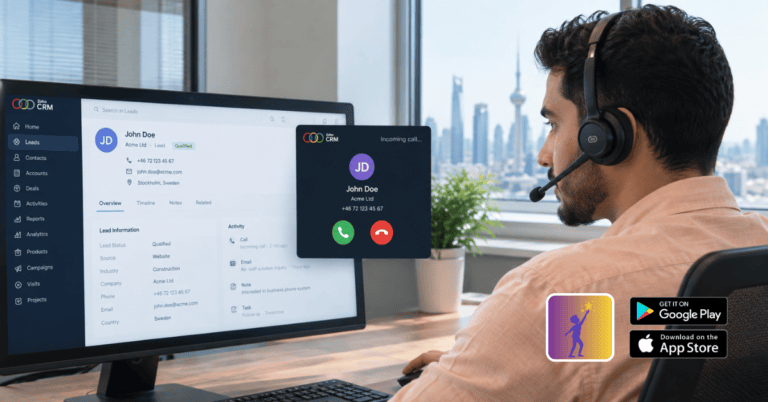
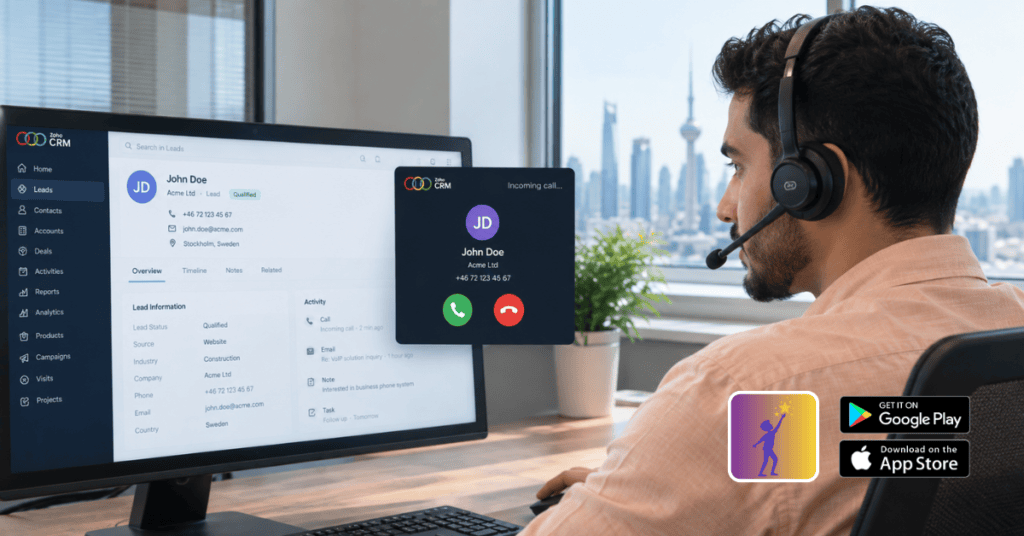
When an inbound call arrives from a number already in Zoho CRM, a pop-up appears immediately in the agent’s browser — showing the caller’s business card directly in the Zoho interface without opening a new tab or application. The agent sees the caller’s name, company, recent activity, and open deals or tickets before they say hello.
The pop-up also gives agents basic call control — hold, mute, transfer — directly from within the Zoho interface, without switching to a separate app.
Mark Follow-Up Actions From the Call Pop-Up
During or immediately after a call, agents can set the next call time, create tasks, and log other key follow-up activities directly from the call pop-up — without leaving Zoho. No switching to a calendar, no separate task creation, no relying on memory after the call ends.
For sales teams managing active pipelines, this is the feature that ensures follow-ups actually happen rather than being intended and forgotten.
Automatic Call Logging
Every call — inbound and outbound, answered and missed — logs automatically as an activity in Zoho CRM against the right contact, lead, or account. Logged entries include:
- Date and time
- Call direction (inbound/outbound)
- Duration
- Outcome (answered, missed, unanswered)
- Agent notes added during or after the call
- Recording link
No manual entry. No calls that go unlogged because an agent was rushed to the next one. No activities built from memory rather than fact.
Call Recording Saved Directly in Zoho
Call recordings are automatically saved against the relevant Zoho contact record — accessible directly from the activity log without leaving Zoho or logging in to a separate system. Agents and managers can replay recordings to retrieve contextual details, review what was discussed, or prepare for a follow-up call.
All recordings are stored within the EU, accessible with role-based controls, and retained according to configurable retention periods.
Automatic Lead and Contact Creation
When an inbound or outbound call comes from a number not yet in Zoho CRM, Dromlik automatically creates a new contact or lead record with the phone number pre-populated. No manual step required — the record is in Zoho before the agent has had a chance to forget the caller’s details.
For sales teams fielding inbound enquiries from new prospects, or making outbound calls to fresh lists, this ensures every interaction is captured in the CRM from the first call.
Contact Sync Across All Devices
Zoho CRM contacts sync automatically to Dromlik — which means caller names appear across every Dromlik endpoint, not just in the Zoho screen pop. A team member answering on their mobile app, a desk phone, or the desktop client sees the caller’s name from the Zoho contact record before they pick up.
For teams where some members work primarily in Zoho and others use the Dromlik app — a common setup in businesses with both office-based and field-based staff — this ensures everyone has the same caller context regardless of how they’re taking calls.
AI Call Transcriptions and Summaries Synced to Zoho
On Dromlik’s Orbit plan with AI transcription enabled, every call is automatically transcribed and summarised. These transcriptions and summaries sync directly to the relevant Zoho CRM contact activity — no manual note-taking, no post-call reconstruction, no missing context.
For managers reviewing deal timelines, team performance, or customer interaction history in Zoho, AI summaries mean the picture is complete and accurate without anyone having to write it.
Zoho Integration for Different Irish Business Types
Sales Teams Using Zoho CRM
For Irish sales teams using Zoho CRM as their primary pipeline tool — tracking leads, contacts, accounts, and deals — the integration turns every call into a logged, recorded, trackable deal activity. Screen pops surface deal context before the call starts. Click-to-dial keeps agents in Zoho throughout their workflow. Follow-up actions are set from the pop-up during the call. Managers reviewing pipeline see a complete call history without chasing agents for updates.
Support Teams Using Zoho Desk
For Irish support teams using Zoho Desk to manage customer tickets, the integration connects calls directly to the support workflow. Inbound calls from existing Zoho Desk contacts surface the caller’s open tickets and interaction history. Call recordings attach to the relevant ticket. New callers create new contacts automatically. The full support conversation — email, chat, and phone — is visible in one place.
Professional Services on Zoho
Irish solicitors, accountants, consultants, and financial advisers using Zoho CRM to manage client relationships benefit from call recording linked to client records for compliance, screen pops that surface the client’s matter history before answering, and automatic logging that eliminates post-call admin.
Zoho Integration Setup Requirements
Dromlik’s Zoho integration requires:
- Zoho CRM or Zoho Desk account — works across all Zoho editions including Free, Standard, Professional, Enterprise, and Ultimate
- Dromlik Orbit plan — Zoho integration is included on Orbit
- OAuth authorisation — a one-time connection between your Dromlik and Zoho accounts, handled by the Dromlik team during onboarding
The full technical overview and setup guide is available on the Dromlik Zoho Integration page.
Pricing
| Plan | Monthly | Annual | Zoho Integration |
|---|---|---|---|
| Nucleus | €15/user/month | €12/user/month | ✗ |
| Orbit | €27/user/month | €22/user/month | ✓ Included |
| AI Receptionist (Niamh) | +€100/month system-wide | +€100/month system-wide | After-hours calls logged to Zoho automatically |
Irish local numbers from €5/month. Free number porting. No setup fees. 7-day free trial.
See the full pricing breakdown.
Connect your phone system to Zoho CRM
See Dromlik’s Zoho integration in action — screen pops, automatic call logging, click-to-call, and AI transcription synced to your CRM. Free 7-day trial on Orbit, no setup fees.