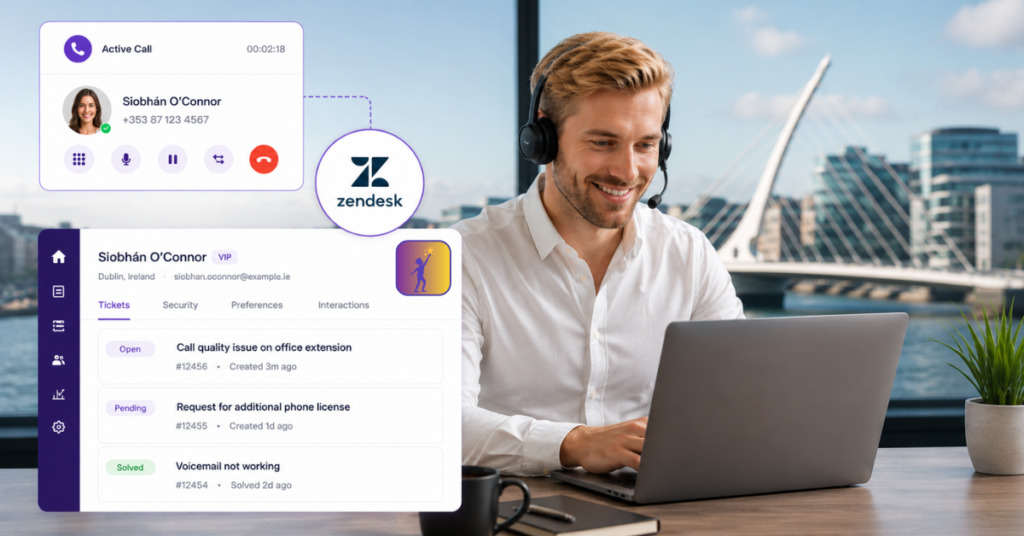
Zendesk is one of the most widely used customer support platforms in Ireland, particularly among technology companies, SaaS businesses, e-commerce operations, and any growing team managing a high volume of customer interactions. If your support team already runs on Zendesk, the single most impactful thing you can do to improve their efficiency is connect your phone system directly to it.
This guide covers what a Zendesk phone integration actually does, what changes for your support team when it’s in place, and how Dromlik’s native Zendesk integration works for Irish businesses specifically.
The Problem Without Integration
Without a phone integration, your Zendesk and your phone system are two separate tools that don’t talk to each other. The practical consequences:
- An agent answers a call and has no idea who’s calling until the customer tells them — there’s no automatic screen pop showing the customer’s record
- After the call, the agent has to manually create a ticket, log the call, and fill in the details — while trying to remember what was discussed
- There’s no searchable call history attached to a ticket, so the next agent who handles that customer has no context
- Outbound calls require agents to dial manually from a separate phone app, then switch back to Zendesk to log the outcome
- Managers have no visibility into call volume, handling time, or which calls are resulting in tickets and which aren’t
Each of these is a small friction, but across a support team handling dozens or hundreds of calls a day, they add up to significant wasted time, inconsistent records, and a worse customer experience.
What a Zendesk Phone Integration Does
Connecting Dromlik to Zendesk changes the workflow for every call — inbound and outbound. Here’s what each feature does in practice:
Caller ID Screen Pops
The moment an inbound call arrives, the caller’s Zendesk profile opens automatically in the agent’s browser. Their name, their ticket history, their previous interactions — all visible before the agent says hello. No “can I take your name?” for customers who’ve called before. No starting from scratch on context the team already has.
Customers who have to re-explain their issue to a support agent after previous calls are one of the highest drivers of customer dissatisfaction. Screen pops eliminate this by giving agents instant context before the conversation starts.
Automatic Ticket Creation and Call Logging
When a call ends, a ticket is created automatically in Zendesk — linked to the right contact, with the call duration, time, and outcome recorded. The agent’s notes from the call are attached. The call recording is linked directly to the ticket.
No manual logging. No forgotten follow-ups. No tickets that only exist in someone’s head because they meant to create them after lunch.
For inbound calls from unknown numbers, Dromlik creates a new contact in Zendesk automatically so the record is there for next time.
Click-to-Call from Inside Zendesk
Any phone number in Zendesk is clickable. One click starts the call directly from the agent’s Dromlik app — no switching to a separate dialler, no manual dialling, no risk of misdialling a number. The call is already being logged to the ticket before the agent has said a word.
Full Call Control Without Leaving Zendesk
Hold, mute, transfer, record — all available from within Zendesk. Agents don’t need to switch between applications to manage a call in progress. Everything stays in one window.
Contact Synchronisation
Contacts sync automatically between Dromlik and Zendesk. When a new contact is added to Zendesk, they appear in Dromlik. When Dromlik receives a call from an existing Zendesk contact, their name displays on the screen — whether the call rings on a desk phone, the mobile app, or the browser client.
Call Journal
Every call — inbound and outbound — is logged to the relevant Zendesk ticket in real time. A complete, searchable conversation history for every customer, accessible to any agent who handles their next interaction.
What Changes for Your Support Team
The shift from a disconnected phone and Zendesk setup to an integrated one is more significant than it first appears.
Agents spend less time on admin. Manual ticket creation, call logging, and contact lookup add up — in some teams to 30 minutes or more per agent per day. With automatic logging and screen pops, that time goes back to actual support work.
First-contact resolution improves. When an agent can see a customer’s full history before answering, they’re more likely to resolve the issue on the first call rather than needing to follow up or escalate.
Managers get real visibility. Call volume, handling time, missed calls, and the proportion of calls resulting in tickets are all visible — not locked inside a phone system that doesn’t connect to anything.
Onboarding new agents is faster. A new support agent doesn’t need to learn two separate systems and mentally reconcile them. One integrated workflow from day one.
According to Zendesk’s own research, agents using integrated phone and helpdesk tools spend significantly less time on manual data entry and context-switching — with some teams reporting savings of 20–30 minutes per agent per day. Across a 10-person support team, that’s 3–5 hours of recovered capacity every day.
How Dromlik’s Zendesk Integration Works
Dromlik connects natively to Zendesk — this isn’t a third-party connector or a middleware workaround. The integration is built directly into the platform and covers:
- Inbound calls — screen pop, automatic ticket creation, call logging, contact lookup
- Outbound calls — click-to-call from any number in Zendesk, automatic ticket logging
- Call recordings — linked directly to the relevant Zendesk ticket
- Contact sync — bidirectional, between Dromlik and Zendesk
- All devices — desk phones, mobile app, and browser client all show caller names from Zendesk
The integration works with Zendesk Support (Team, Professional, or Enterprise) and Zendesk Suite (Team, Growth, Professional, or Enterprise).
Setup is handled by the Dromlik team as part of onboarding — you don’t configure the integration yourself. Most support teams are live within a few days.
Why This Matters for Irish Businesses Specifically
Most Zendesk phone integration content you’ll find online is written for a US or UK audience. A few things are specifically relevant if you’re running a support team in Ireland:
Irish local numbers in Zendesk. When your agents make outbound calls from Zendesk, customers see a local Irish number — not an international number or a withheld number. This matters for answer rates, particularly for teams doing proactive outreach or callbacks to Irish customers. Dromlik provides local Irish numbers across 15 area codes from €5/month.
EU data hosting. Call recordings, contact data, and call logs are stored within the EU — relevant for Irish businesses with GDPR obligations and particularly important for teams handling sensitive customer data in financial services, healthcare, or legal sectors.
Irish business hours support. When the integration needs configuring or something changes in your Zendesk or Dromlik setup, you contact Dromlik directly — a team reachable during Irish business hours, not a global support queue.
No reseller or third-party implementer required. Unlike some phone systems where Zendesk integration requires a specialist IT partner to configure, Dromlik’s team handles this as part of standard onboarding.
Which Dromlik Plan Includes Zendesk Integration
Zendesk integration is available on Dromlik’s Orbit plan:
| Plan | Price | Zendesk Integration |
|---|---|---|
| Nucleus | €12/user/month | ✗ |
| Orbit | €22/user/month | ✓ Native integration included |
| AI Receptionist | +€100/month | Add-on to either plan |
Annual billing saves around 20%. Local Irish numbers from €5/month. Free number porting.
See the full pricing breakdown.
Other Integrations Worth Knowing About
If your team uses a different CRM or helpdesk alongside or instead of Zendesk, Dromlik also integrates natively with:
- HubSpot — for sales and marketing teams managing customer relationships
- Salesforce — for larger sales and support operations
- Zoho CRM and Zoho Desk — for teams on the Zoho stack
- Microsoft Teams — for internal communication alongside external calling
Connect your phone system to Zendesk
See Dromlik’s Zendesk integration in action — screen pops, automatic ticket logging, and click-to-call, all set up for you. Free 7-day trial, no setup fees.