Every VoIP provider publishes a feature list. Most of them look similar at a glance — call routing, voicemail, mobile app, CRM integration. But the features that matter for your business depend on how your team works, what your customers expect, and what gaps in your current setup are actually costing you.
This guide cuts through the noise. Here’s what the most valuable VoIP features are for Irish SMBs in 2026, what’s genuinely useful versus what sounds impressive but rarely gets used, and what to prioritise when evaluating a system.
The Features That Actually Move the Needle
1. Smart Call Routing
Call routing is the foundation of everything else. Without it, calls ring one phone until someone picks up or it rings out. With it, calls flow intelligently to whoever’s available — and if nobody is, something useful happens instead of silence.
What good call routing looks like in practice:
- Hunt groups ring multiple team members simultaneously or in sequence, so the first available person picks up
- Time-based routing applies different rules during business hours, after hours, and on Irish public holidays — automatically, without anyone switching anything on or off
- Department routing sends sales calls to sales, support calls to support, and general enquiries to whoever’s free
- Skills-based routing directs calls to the team member best equipped to handle that type of enquiry
For most Irish SMBs, getting routing right is the single biggest improvement they can make to their phone system — and it requires no new staff or hardware.
The majority of missed calls aren’t because nobody was available — they’re because the call went to the wrong person, or rang out before reaching someone who was free. Good routing fixes this before you consider anything else.
2. Mobile App That Actually Works
Your team isn’t desk-bound. Tradespeople are on site. Estate agents are showing properties. Recruiters are meeting candidates. Managers are in meetings. A phone system that only works at a desk isn’t a phone system — it’s a landline with extra steps.
A genuinely good mobile app lets your team:
- Make and receive calls on their existing mobile using the business number
- See the business contact directory and call history
- Transfer calls to colleagues
- Put calls on hold and switch between calls
- Receive and respond to voicemails
What makes this important for Irish businesses specifically: customers see and dial the same consistent business number regardless of which device answers. Personal numbers stay personal. When a staff member leaves, the business number stays with the business.
3. Voicemail to Email
Simple but high-impact. Instead of voicemails sitting unheard in a system nobody checks, they arrive as audio files (and ideally transcriptions) directly in the relevant person’s inbox. Missed calls get followed up. Nothing sits ignored for three days because someone forgot to check.
For businesses where voicemail is a frequent fallback — trades, professional services, any team with high call volume relative to headcount — this feature alone justifies switching from a basic landline.
4. Call Recording
Call recording serves three distinct functions, all valuable:
Quality and training. Listening back to how calls are handled — what works, what doesn’t, how objections are dealt with — is the most direct way to improve how your team communicates with customers.
Accountability. When a customer disputes what was agreed on a call, a recording resolves it quickly and fairly. This is particularly valuable in trades (quoted prices, agreed scope), professional services (advice given, instructions received), and any high-value transaction.
Compliance. Financial services firms operating under Central Bank of Ireland requirements, and businesses subject to MiFID II, have specific call recording obligations. A VoIP system with built-in recording is far simpler than a third-party recording solution bolted on top.
On Dromlik’s platform, call recording is included as standard and applies system-wide — it’s not a per-user add-on.
5. CRM Integration
This is the feature with the highest ROI for any business managing customer relationships — which is most businesses. When your phone system connects to your CRM:
- Inbound calls trigger a screen pop showing the caller’s record before you answer
- Every call logs automatically to the right contact — duration, time, outcome, recording link
- Outbound calls are made with one click from inside the CRM
- New callers from unknown numbers are created as contacts automatically
The time saved on manual logging alone — typically 20–30 minutes per person per day for an active sales or support team — justifies the upgrade from a basic plan to one with integration.
Dromlik integrates natively with HubSpot, Salesforce, Zoho, and Zendesk.
6. AI Receptionist
The most significant development in business telephony in the last two years. An AI receptionist answers calls live — not a recording, a real conversation — when your team can’t get to the phone.
For Irish SMBs, this is valuable in two specific scenarios:
During busy periods. A restaurant during service, a trades team on site, a recruitment agency when all consultants are on calls — the AI handles the overflow so no enquiry rings out.
Outside business hours. Calls at 8pm, on weekends, on bank holidays — the AI answers, handles the query or takes a detailed message, and can send the caller a WhatsApp or SMS confirmation immediately.
Dromlik’s AI receptionist — Niamh — supports over 20 languages, integrates directly with booking systems like OpenTable and TheFork, and connects with CRM platforms so call summaries log automatically. It’s available system-wide as an add-on at €100/month — not per user.
7. Microsoft Teams Integration
For businesses already using Teams for internal communication, adding calling to it removes the friction of switching between applications. Your team makes and receives external calls from within Teams, call history appears in the Teams interface, and internal and external communication lives in one place.
Dromlik’s Teams integration doesn’t require a Microsoft Teams Phone licence or Calling Plan — which is the main cost driver with Microsoft’s native calling solution.
8. Omnichannel Inbox
Customers don’t communicate exclusively by phone. WhatsApp messages, SMS enquiries, web chat — for businesses that receive meaningful volume across multiple channels, managing each separately creates fragmented customer history and slower response times.
An omnichannel inbox brings calls, SMS, WhatsApp, and chat into a single view. Whoever picks up a WhatsApp message can see the customer’s recent calls in the same interface. Nothing falls between channels.
Available on Dromlik’s Orbit plan.
Features That Are Easy to Overlook but Genuinely Valuable
Local Irish Numbers
A Dublin 01 number, a Cork 021 number, a Galway 091 number — local area codes signal local presence and generate higher answer rates on outbound calls than unknown or out-of-area numbers. Dromlik provides Irish local numbers across 15 area codes from €5/month per number.
Call Flip
The ability to move a live call seamlessly from a desk phone to a mobile (or vice versa) without dropping the call or the caller noticing. Invaluable for anyone who starts a call at a desk and needs to leave mid-conversation. Not offered by all providers.
Presence Status
Knowing at a glance which colleagues are on a call, available, or away — without having to message them first — speeds up transfers and reduces the number of calls that bounce between people before reaching someone who can help.
Visual Call Flow Designer
A drag-and-drop interface for building and editing call routing logic — no configuration files, no support ticket required. For businesses whose routing needs change occasionally (new departments, new hours, seasonal changes), the ability to update this yourself without calling IT support is genuinely useful. Available on Dromlik’s Orbit plan.
After-Hours Routing to AI
Configuring your after-hours routing to connect to an AI receptionist rather than a voicemail isn’t just a nice-to-have — it’s the difference between a caller who gets a useful response and one who hangs up and calls a competitor. Worth treating as a feature rather than an add-on consideration.
A restaurant prioritises AI call handling and booking integration. A recruitment agency prioritises CRM integration and call recording. A trades business prioritises mobile app quality and routing. Start with the gap that’s costing you the most, not the longest feature list.
How to Prioritise Features for Your Business
A simple framework:
Start with the basics. Routing, voicemail to email, mobile app, call recording. If these aren’t solid, nothing else matters.
Add what your workflow requires. If you use a CRM, add integration. If you use Teams, add Teams integration. If you receive messages across multiple channels, add omnichannel.
Address your biggest gap. What’s your most common failure mode? Missed calls outside hours → AI receptionist. Missed calls during busy periods → better routing or AI overflow. Lost customer context → CRM integration. Build from there.
Don’t pay for what you won’t use. A feature list that impresses doesn’t help if three-quarters of it sits unused. A well-configured system with the right features for your business outperforms a feature-rich system that nobody understands.
Dromlik’s Feature Breakdown by Plan
| Feature | Nucleus (€15/mo monthly) | Orbit (€27/mo monthly) |
|---|---|---|
| Call routing, IVR, hunt groups | ✓ | ✓ |
| Voicemail to email | ✓ | ✓ |
| Call recording | ✓ | ✓ |
| Mobile and desktop apps | ✓ | ✓ |
| Teams integration | ✓ | ✓ |
| Irish local numbers | ✓ | ✓ |
| Omnichannel inbox (SMS, WhatsApp, chat) | ✗ | ✓ |
| CRM integration (HubSpot, Salesforce, Zoho, Zendesk) | ✗ | ✓ |
| Call centre queues and ACD | ✗ | ✓ |
| Visual call flow designer | ✗ | ✓ |
| AI transcription | ✗ | ✓ |
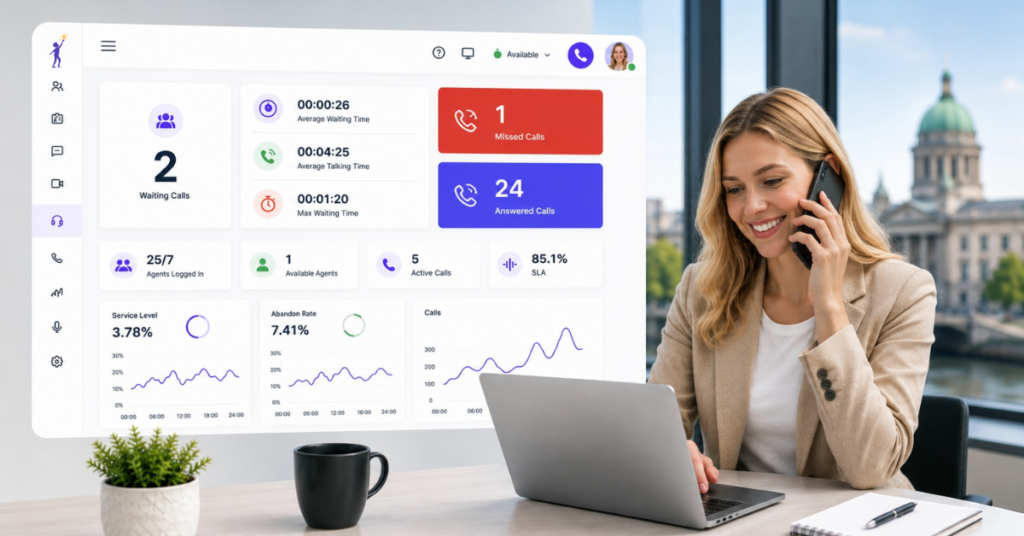
| Supervisor tools and wallboards | ✗ | ✓ |
| AI Receptionist (Niamh) | +€100/month system-wide | +€100/month system-wide |
Annual billing: Nucleus €12/user/month, Orbit €22/user/month. See the full pricing breakdown.
See which plan fits your business
The Dromlik team will walk you through which features matter for your specific setup — and which ones you don’t need to pay for. Free 7-day trial, no setup fees.