Telephone routing is how your business decides what happens to a call once someone dials your number. Done well, it’s invisible — callers reach who they need quickly and without friction. Done badly, it’s one of the most reliable ways to frustrate customers before a conversation has even started.
This guide covers the main types of telephone routing, how to choose between them, and how to set up routing that actually fits how your business operates.
What Telephone Routing Is
When a call comes into your business number, something has to decide what happens to it. Without routing rules, it rings on one phone until someone picks up or it times out. With routing, you control exactly what happens: which person or team gets the call, in what order, based on what conditions, and what happens if nobody picks up.
Modern cloud phone systems handle all of this automatically based on rules you configure once. You’re not manually transferring calls — the system applies your logic to every inbound call, around the clock.
The Main Types of Telephone Routing
1. Sequential Routing (Linear / Failover)
Calls ring one destination first. If that person doesn’t answer within a set number of rings, the call moves to the next person on the list, and so on.
Best for: Small teams with a clear hierarchy — a sole trader with a backup, a small office where one person is the primary contact and others are fallbacks.
Example: Calls ring the office manager first. If she doesn’t answer in 15 seconds, it rings the director. If he doesn’t answer, it goes to voicemail.
2. Simultaneous Routing (Hunt Group / Ring All)
Calls ring multiple people at the same time. Whoever picks up first takes the call.
Best for: Teams where speed of answer matters and any available team member can handle the call — sales teams, trades businesses, small customer service teams.
Example: An inbound sales enquiry rings all three sales reps at once. The first one free picks up. No call waits longer than necessary.
3. Skills-Based Routing
Calls are directed to the team member or department best equipped to handle that type of enquiry, based on what the caller selects from a menu or what the system detects about them.
Best for: Businesses with distinct departments or specialisms — separate sales and support teams, multilingual teams, specialist roles.
Example: A solicitors’ firm routes family law enquiries to one team and commercial property enquiries to another, based on a simple IVR selection at the start of the call.
4. Time-Based Routing
Calls are handled differently based on the time of day, day of week, or date — automatically, without anyone needing to switch anything on or off.
Best for: Any business with clear business hours, or that needs different handling during evenings, weekends, and public holidays.
Example: During business hours (Mon–Fri, 9am–6pm), calls ring the team. Outside those hours, callers hear an after-hours message and can leave a voicemail or be directed to the AI receptionist. On bank holidays, a specific holiday message plays automatically.
5. Geographic Routing
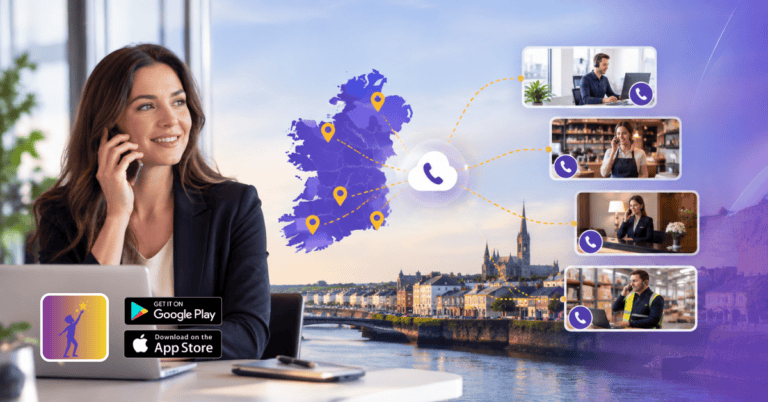
Calls are directed based on where the caller is ringing from, or which number they dialled — useful for businesses operating across multiple locations or regions.
Best for: Multi-location businesses, or businesses that hold multiple regional Irish numbers and want callers to reach the relevant local team.
Example: A business with offices in Dublin and Cork holds both a 01 and a 021 number. Calls to the Dublin number route to the Dublin team; calls to the Cork number route to Cork. Both are managed from one dashboard.
6. Overflow Routing
When a primary team or queue reaches capacity — too many calls at once — overflow routing redirects additional callers rather than forcing them to wait indefinitely.
Best for: Businesses with variable call volume, or call-heavy environments like restaurants during service or recruitment agencies during peak hiring periods.
Example: If more than three callers are already queuing, overflow routes to an AI receptionist that answers immediately, takes a message, and sends the caller a WhatsApp confirmation — rather than making them wait five minutes on hold.
Combining Routing Types
Most businesses need more than one. A typical setup for an Irish SMB might combine:
- Time-based routing to separate business hours from after-hours handling
- Simultaneous routing during business hours so calls ring the whole team at once
- Sequential routing as a fallback if nobody answers after a set number of rings
- AI receptionist as the final fallback — answering calls that still go unanswered after all of the above
This kind of layered approach means virtually no call goes completely unanswered, without adding any headcount.
IVR: The Menu Layer
IVR (Interactive Voice Response) is the menu system callers hear when they first dial in — “Press 1 for sales, press 2 for support.” It’s often combined with routing, directing callers to the right team before a person ever picks up.
Used well, IVR reduces the number of internal transfers and gets callers to the right person faster. Used badly — too many options, confusing language, no clear path to a human — it frustrates callers and increases hang-up rates.
A practical IVR for most Irish SMBs has no more than three or four options, uses plain language, and always offers a way to reach a person directly. Anything more complex than that usually means the routing strategy needs rethinking rather than the IVR expanding.
After-Hours Routing: The Most Overlooked Setting
A surprising number of Irish businesses have no specific after-hours routing configured — calls outside business hours simply ring out or hit a generic voicemail. This is one of the easiest wins in telephone routing.
At minimum, after-hours routing should:
- Play a clear message confirming the business is closed and stating when it reopens
- Offer the caller a way to leave a message or get a callback
- Handle public holidays separately from standard out-of-hours
At best, it routes to an AI receptionist that answers live, handles the query or takes a booking, and sends a follow-up so the caller gets something useful even at 10pm.
Dromlik’s after-hours call handling page covers this in more detail.
Routing and CRM Integration
Routing becomes significantly more powerful when connected to your CRM. When a call comes in and the system recognises the number, it can:
- Route the caller to their account manager or regular contact automatically
- Surface the caller’s record on screen before the call is answered
- Apply different routing rules for high-priority clients
This works with Salesforce, HubSpot, Zoho, and Zendesk on Dromlik’s Orbit plan.
Common Routing Mistakes
Too many IVR options. Callers presented with six menu options often hang up. Keep menus short and clear.
No fallback configured. If the primary routing fails — nobody answers, a team member is off — and there’s no fallback rule, the call drops. Every routing setup should have a final fallback: voicemail, AI receptionist, or another contact.
Business hours set once and never updated. Routing rules need updating when hours change, when staff leave, or when new departments are created. Stale routing rules cause misrouted calls that nobody investigates because the problem isn’t obvious.
Forgetting about mobile. If your team is often on site or away from a desk, routing that assumes everyone is in the office will miss calls constantly. Mobile app coverage should be built into your routing from the start.
Not testing. Route changes should be tested before going live — call in yourself, try each IVR path, confirm the fallback works. Takes five minutes and prevents a week of confused callers.
Setting This Up with Dromlik
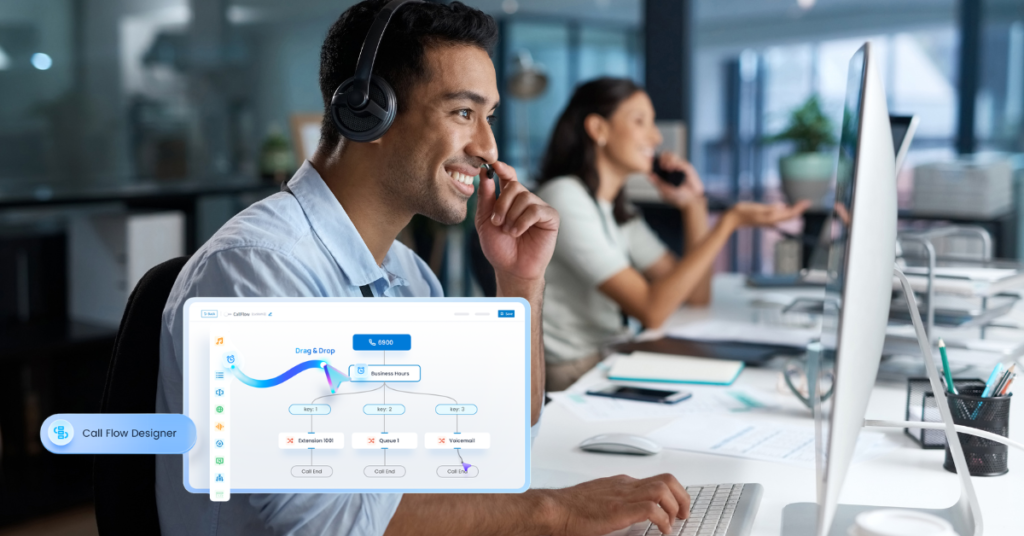
Dromlik’s business phone system includes a visual call flow designer on the Orbit plan, letting you build and adjust routing rules without technical expertise. Time-based rules, hunt groups, IVR menus, and AI receptionist fallback are all configurable from your dashboard.
For businesses on Nucleus, standard routing — hunt groups, time-based rules, sequential fallback — is included and configured during onboarding by the Dromlik team.
A 7-day free trial is available with no setup fees. Book a demo or call us on 01 686 6414 to talk through your current setup and what routing changes would make the most difference.